Cut on the beat, not on the second: swap the music without re-editing
If a video's cuts are written in seconds, changing the song means redoing them. If they are written in beats, the new track's grid recalculates them. How to set it up, how to prepare the track, and three mixing numbers for a social spot.
Also in: Español
You edit a 24-second spot to the rhythm of a song and someone asks to try it with another one. If every cut is noted in seconds, you redo them one by one: second 9.7 landed right on a hit in the first song and lands anywhere in the second.
The criterion: the edit is written in beats, and the track calculates the seconds.
Cuts live in beats
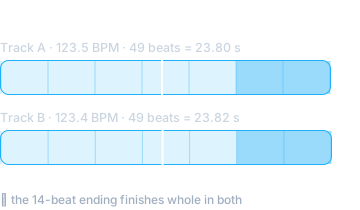
Each shot says which beat it enters on ("the headline on beat 24, the logo on beat 35"). Next to the song sits its grid: the list of instants where each beat falls, measured once. Turning beats into seconds is a lookup in that list.
In a real spot, the same 49-beat edit lasts 23.80 s on a track at 123.5 BPM and 23.82 s on another at 123.4. No shot was touched to move from one to the other, and the 14-beat ending finished whole in both.
There is a less obvious benefit: the "drop" doesn't have to come from the song. A flat-mastered track, whose energy per bar varies ±1 dB end to end, has no detectable moment of release. The edit provides it, by speeding up the cuts over a chosen stretch of beats.
Prepare the track so it starts on the bar
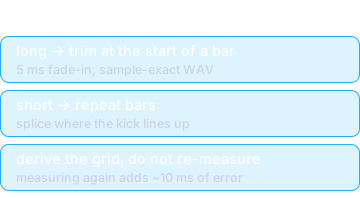
The song almost never lasts as long as the spot. Two cases:
- Long track: trim from the start of a bar. Pick the beat where the part you want begins (in the example, beat 192, at 93.3 s), cut there with a 5 ms fade-in so it doesn't click, and export as WAV, sample-exact.
- Short track: extend by repeating bars. Repeat a block of bars and splice it where the kick drum lines up, so the seam can't be heard.
In both cases the new file's grid is derived from the original (shifted by the trim) instead of measured again. Measuring again adds around 10 ms of error, and 10 ms can be enough to push a cut onto the next frame.
Three mixing numbers for social
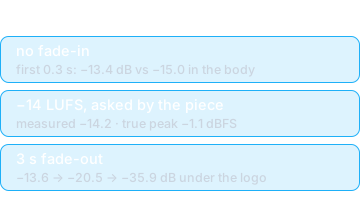
A fade-in eats the first hit. A fixed one-second fade makes sense under a voice. In a piece that starts on beat 0, it erases the first kick. Without it, the first 0.3 s play at −13.4 dB against −15.0 for the rest: the opening lands.
Loudness is set by the piece, not the tool. A −16 LUFS target suits a narrated video; a music-only spot sounds quiet in the feed. If each piece declares its own (−14 here) and quality control measures against what was asked, nothing else changes. Measured: −14.2 LUFS integrated, with a −1.1 dBFS true peak.
The music leaves with the logo. A 3 s fade-out over the ending: −13.6 dB at 19.3 s, −20.5 at 21 and −35.9 in the last 0.4 s. The logo is left alone, with no hard audio cut.
Before you apply it
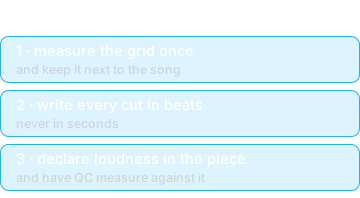
Start by measuring your song's grid once and keeping it next to the file. From then on, trying different music is changing a file name and exporting again.